Install OpenAdapt

Install the CLI or desktop app

The flagship OpenAdapt project installs the compiler and governed runtime under the unified openadapt flow command. Native OpenAdapt Desktop Beta installers package that workflow engine for Windows, macOS, and Linux.

pip install openadapt

Desktop app

Native desktop Beta

Beta release desktop-v0.14.0

Choose the build that matches your operating system and processor below.

All downloads

Every installer in the latest beta release (desktop-v0.14.0). Choose the one that matches your machine.

Windows (x64)

.msi installer (or .exe) · 104.4 MB

macOS (Apple Silicon)

.dmg for M1 and later · 106.3 MB

macOS (Intel)

.dmg for Intel Macs · 109.6 MB

Linux (x64)

.AppImage (or .deb) · 203.6 MB

Looking for a different build or an older version? Browse all releases on GitHub.

What you're installing

See the native app

Follow the desktop workflow from capture and replay through a verified result, a safe halt, teaching, settings, and sign-in. The gallery uses headless synthetic fixtures from Desktop PR #93. It does not show a live engine or customer run. Exact capture provenance is published below.
OpenAdapt Desktop
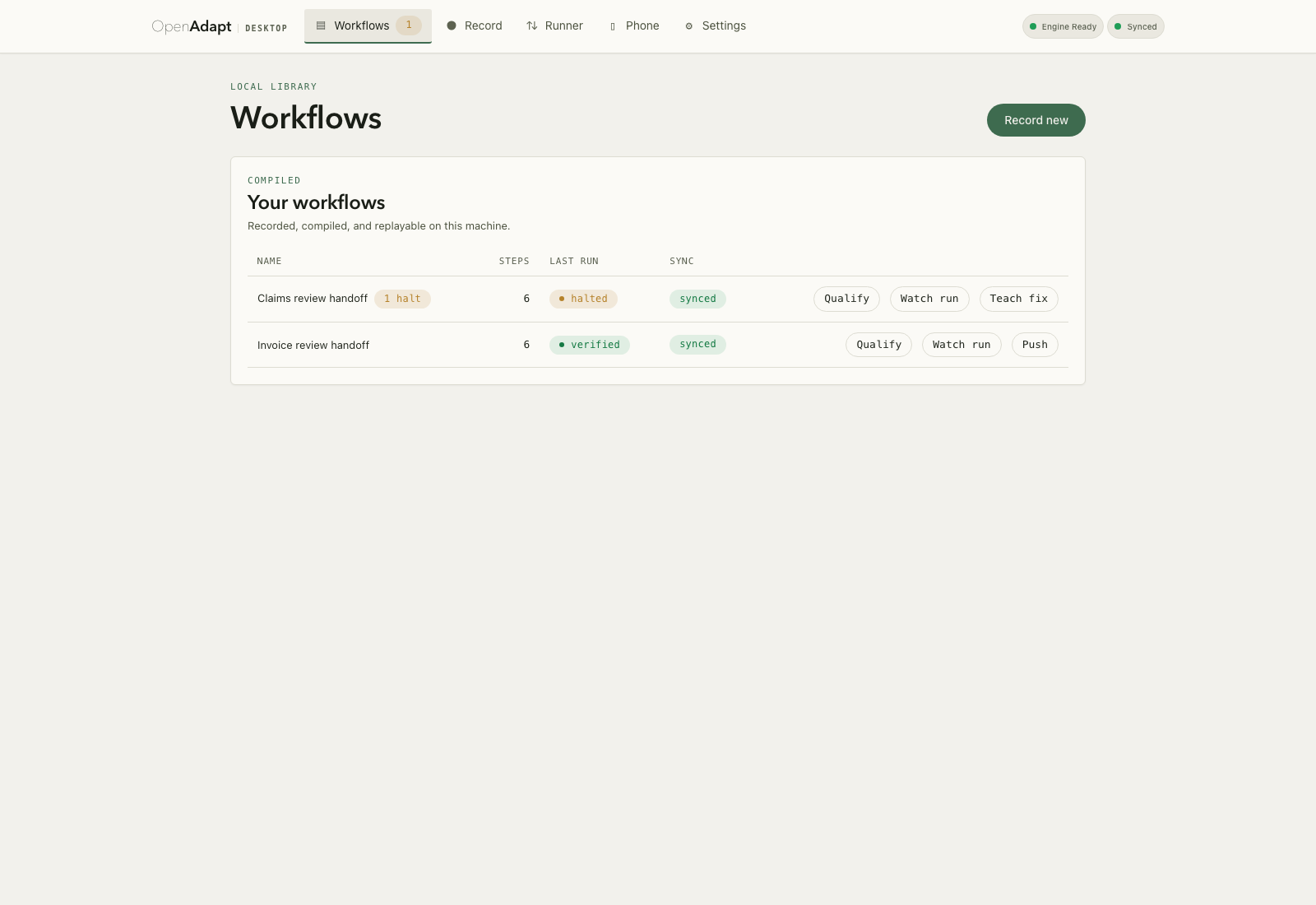
Synthetic OpenAdapt Desktop workflow library with one halted and one verified workflow, rendered from Desktop PR #93.
The workflow library. Two compiled workflows: one needs attention and one has verified evidence. Open full-size image
OpenAdapt Desktop
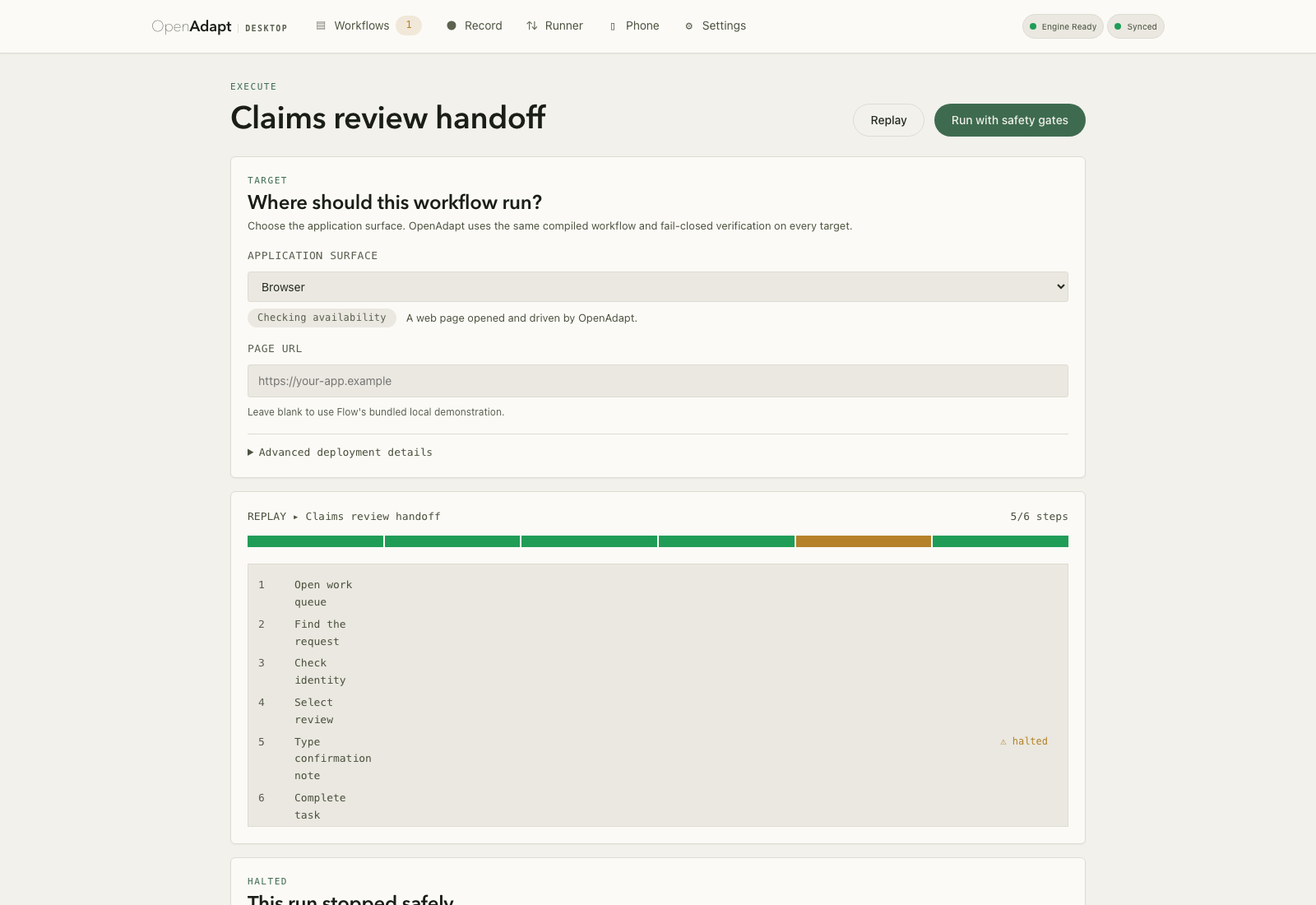
Synthetic Desktop run detail with a halted step and the evidence reason for the safe stop.
Halt evidence: this run stopped safely. A run stops safely when identity and postcondition evidence are not sufficient. The evidence remains available for review. Open full-size image
OpenAdapt Desktop
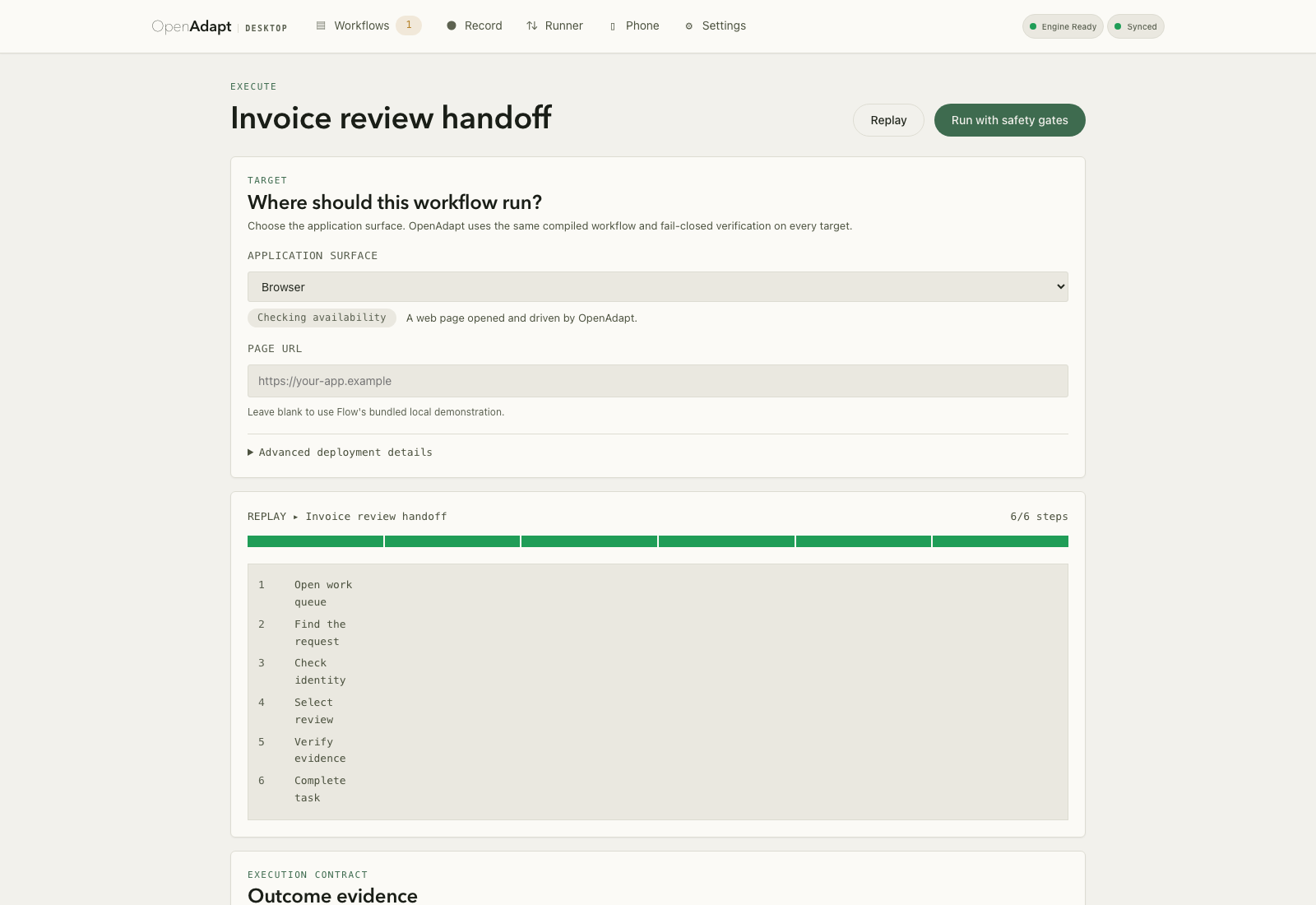
Synthetic Desktop run detail showing a verified six-step workflow and its evidence contract.
A verified run. A clean replay: six of six steps verified with zero model calls. Open full-size image
OpenAdapt Desktop
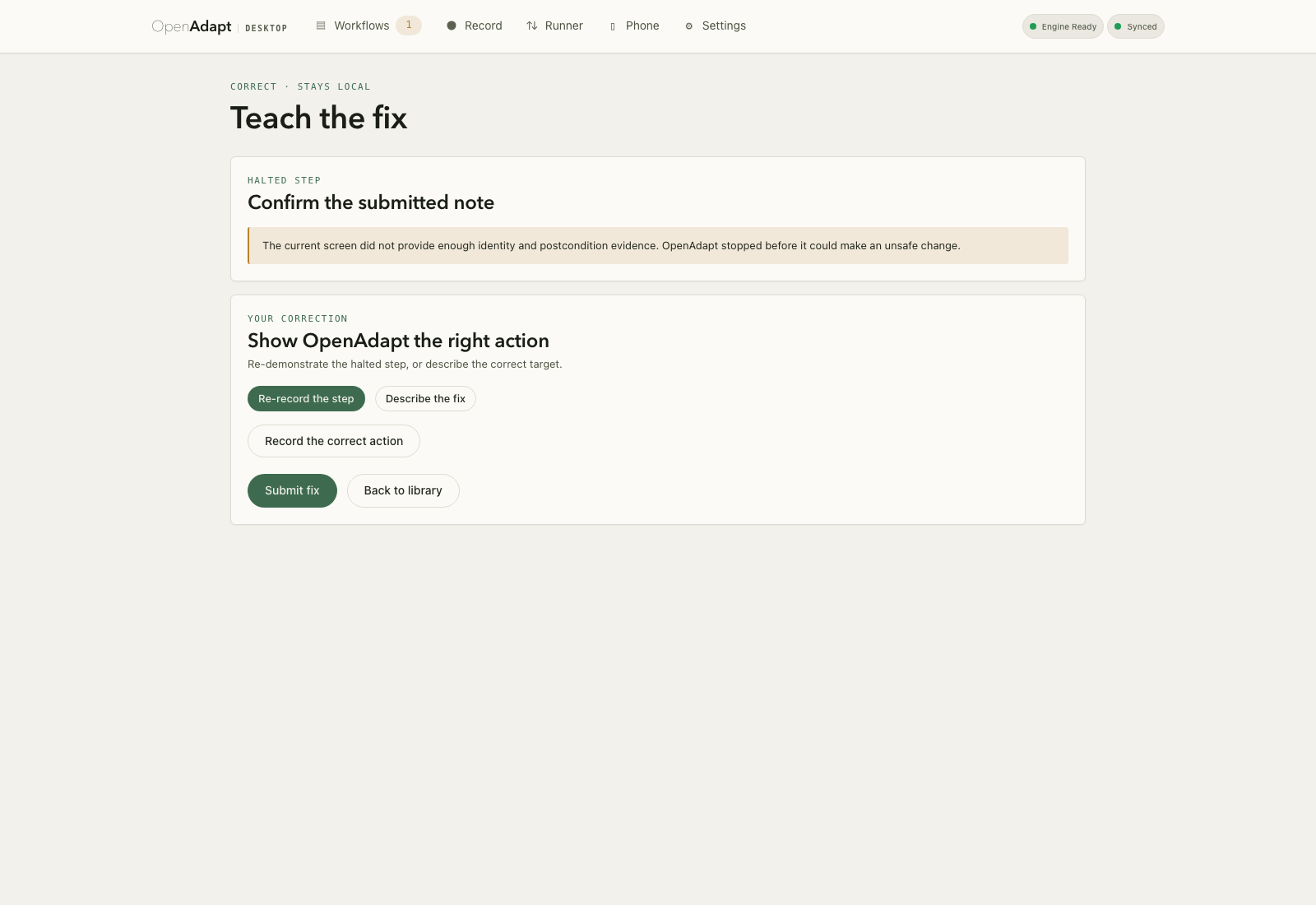
OpenAdapt Desktop "Teach the fix" surface: the halted type-note step with its verification-failure reason, and options to re-record the step or describe the correct target.
Teach the fix. When a run halts, you correct it in place by re-recording the step or describing the right target. The correction stays local. Open full-size image
OpenAdapt Desktop
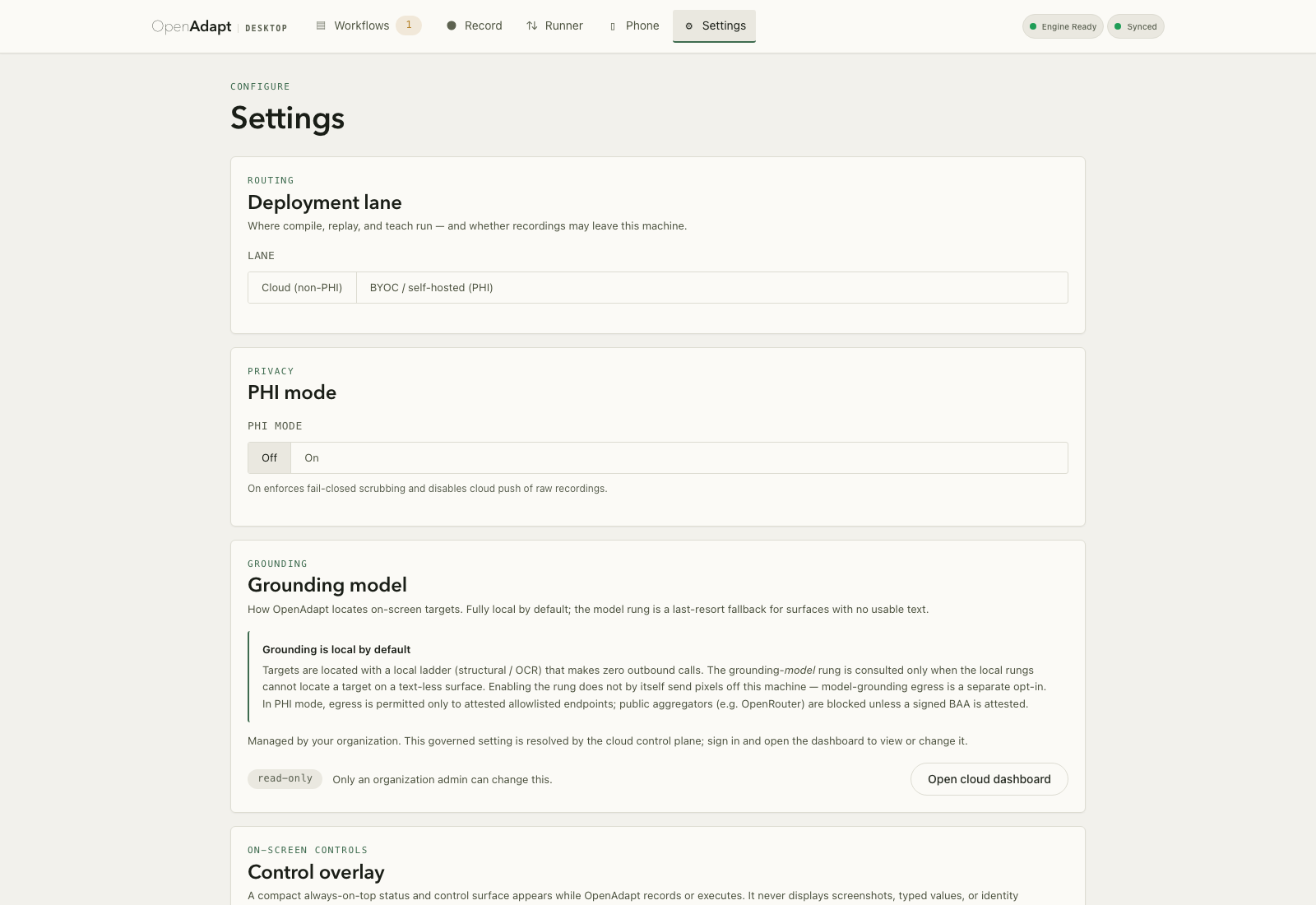
Synthetic Desktop settings showing the local and Cloud connection controls.
Settings and policy. Configure the local execution boundary and an optional OpenAdapt Cloud connection. Open full-size image
OpenAdapt Desktop
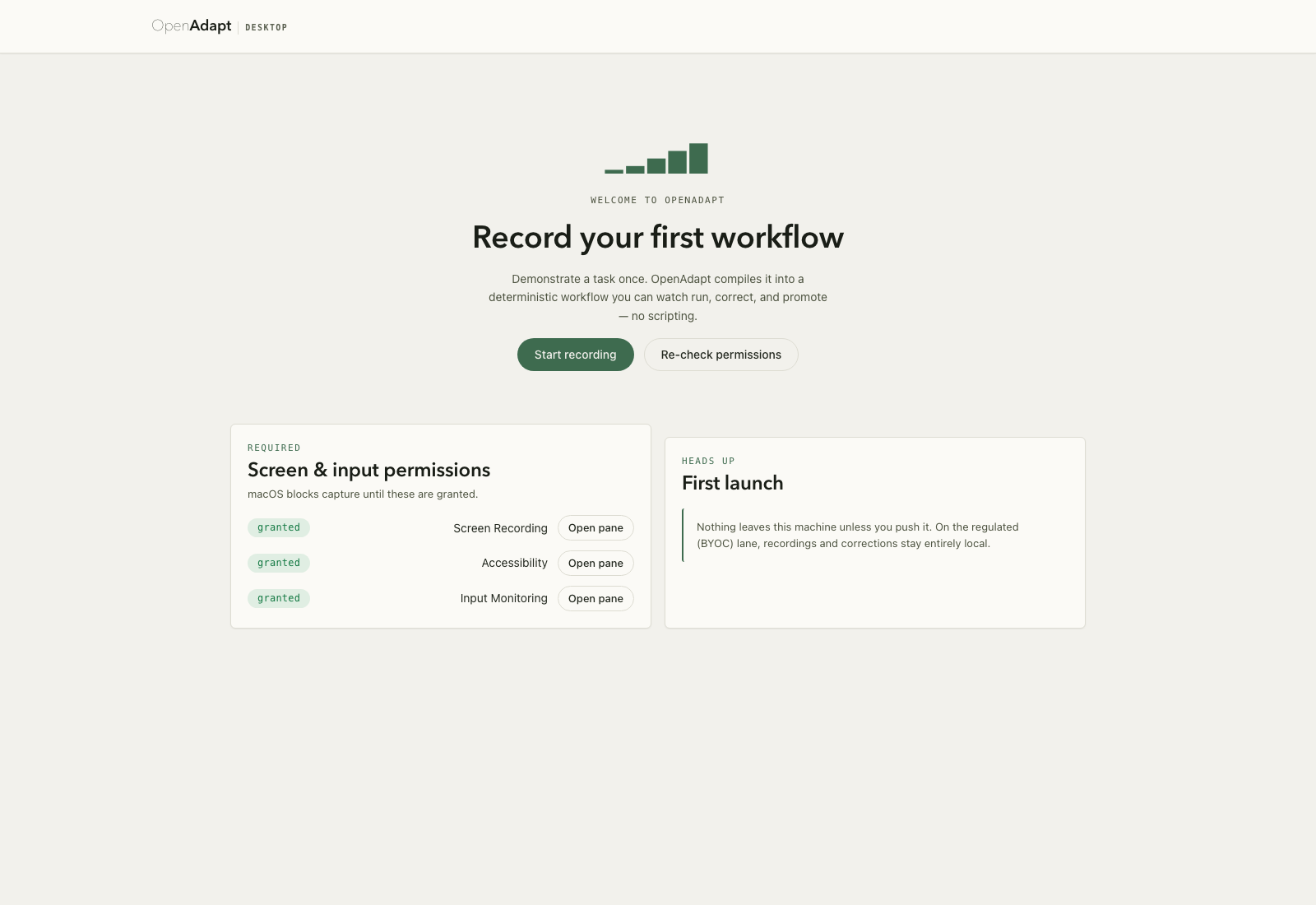
Synthetic Desktop first-run onboarding for recording a workflow.
First-run onboarding. First launch walks through the screen and input permissions capture needs before you record. Open full-size image
OpenAdapt Desktop
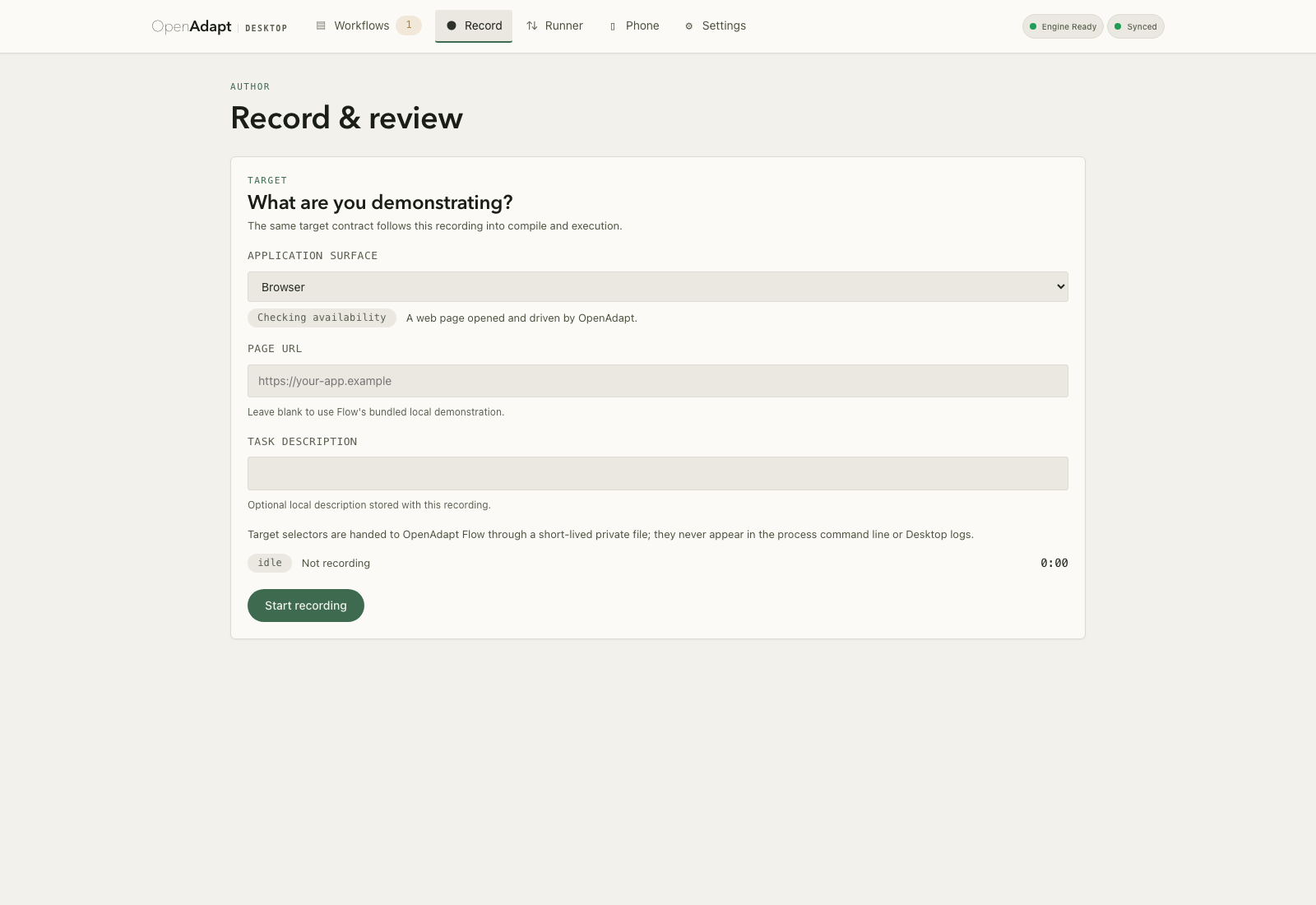
OpenAdapt Desktop record surface in its idle state, ready to capture a demonstration, with a Start recording button.
Record and review. Demonstrate a task once. The recorder captures it, then the engine compiles it into a replayable workflow. Open full-size image
OpenAdapt Desktop
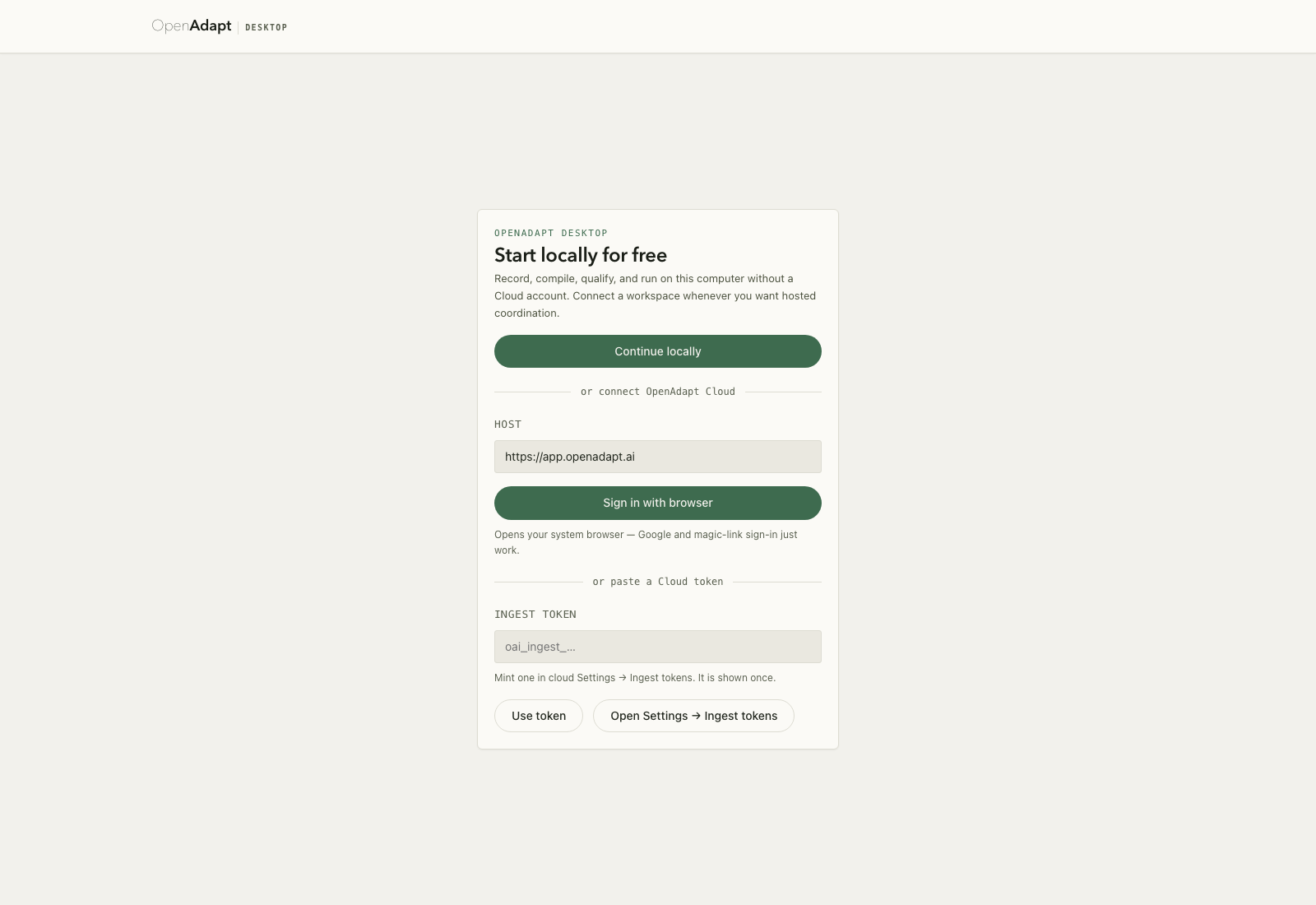
Synthetic Desktop connection surface with local cockpit and Cloud sign-in options.
Sign in. Connect to OpenAdapt Cloud through browser sign-in or an ingest token. Open full-size image

The tray companion

OpenAdapt in the tray, on macOS, Windows, and Linux

openadapt-tray 0.1.1 is a separate pip install openadapt-tray package that puts an OpenAdapt indicator in the menu bar or system tray. Install it separately when you want quick access alongside CLI-based workflows. The panels below illustrate where the icon appears on each OS; they are not screenshots.

OpenAdapt
9:41
macOS menu bar. The OpenAdapt icon sits with the status items at the right of the menu bar.
9:41 AM
Windows system tray. The OpenAdapt icon appears in the notification area at the corner of the taskbar.
Activities9:41
Linux panel. The OpenAdapt icon shows in the top panel indicator area (GNOME and compatible shells).

Windows install flow

The real NSIS installer, start to finish

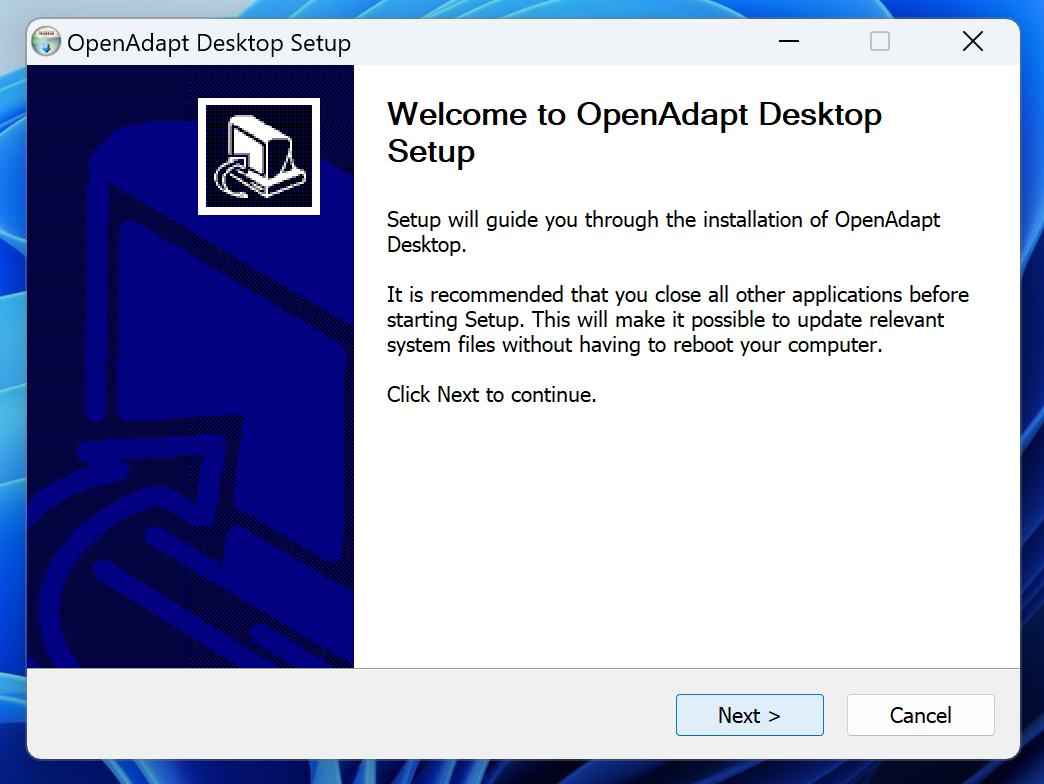
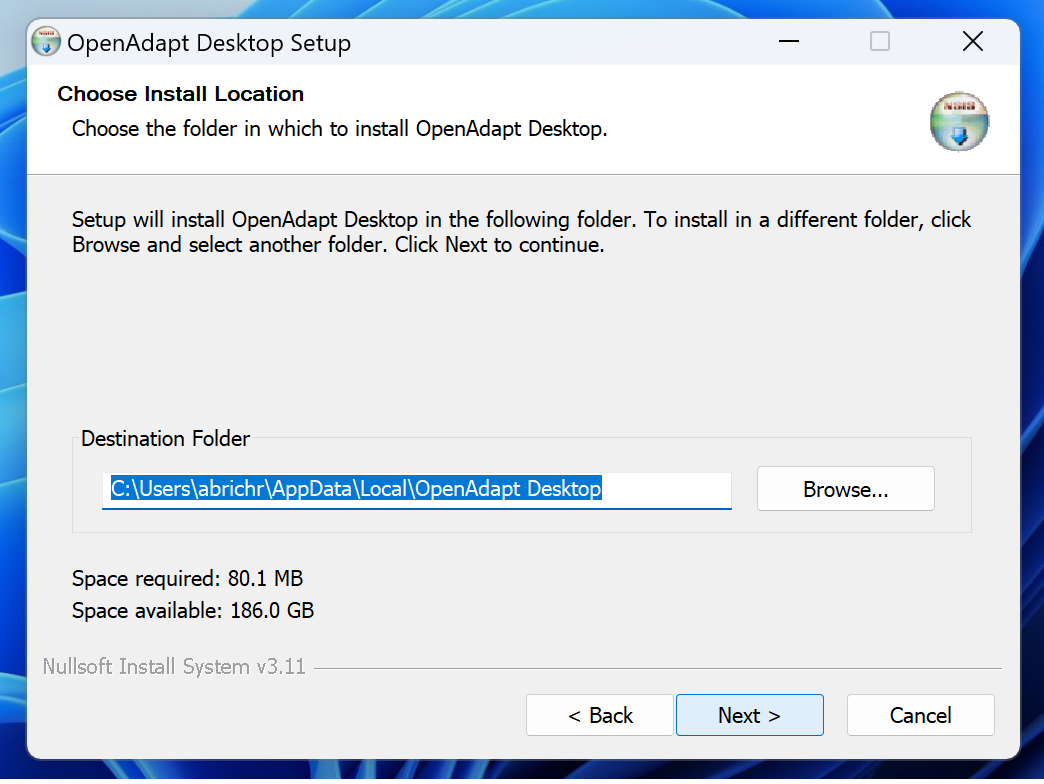
Captured on Windows 11 from v0.6.1. The current desktop release follows the same three-step NSIS flow. Unsigned builds can trigger an Unknown Publisher warning; follow the First launch guidance below before overriding it.
OpenAdapt Desktop Setup
NSIS setup wizard welcome page reading "Welcome to OpenAdapt Desktop Setup" with a Next button.
Step 1. Welcome — the NSIS setup wizard opens.
OpenAdapt Desktop Setup
Choose Install Location page defaulting to a per-user path under AppData\Local\OpenAdapt Desktop; the footer reads Nullsoft Install System v3.11.
Step 2. Choose location — a per-user install to %LOCALAPPDATA%\OpenAdapt Desktop, no admin rights needed.
OpenAdapt Desktop Setup
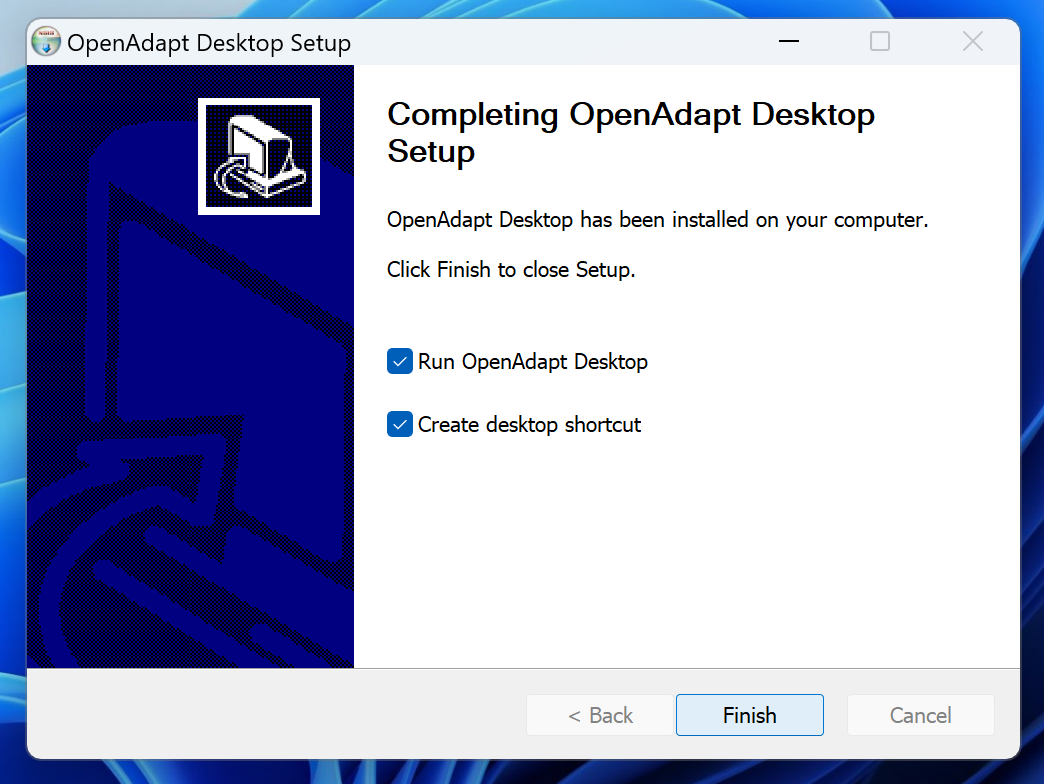
Completing page reading "Completing OpenAdapt Desktop Setup" with "Run OpenAdapt Desktop" and "Create desktop shortcut" checked.
Step 3. Finish: files are placed, a desktop shortcut is created if requested, and the app launches.

Capture provenance for every screenshot is recorded in the media manifest.

First launch

Current native builds may trigger an operating-system publisher warning. Verify the release checksum before overriding it.

macOS

The DMGs are ad-hoc signed, not yet Developer ID notarized. In Finder, Control-click OpenAdapt Desktop, choose Open, then confirm Open. Only override Gatekeeper after verifying the release checksum.

Windows

The Windows installers are not yet Authenticode signed, so Windows warns that the publisher is unknown — this is expected. On the "Open File - Security Warning" dialog shown below (or a SmartScreen "Windows protected your PC" prompt, where you choose More info), verify the release checksum first, then choose Run.
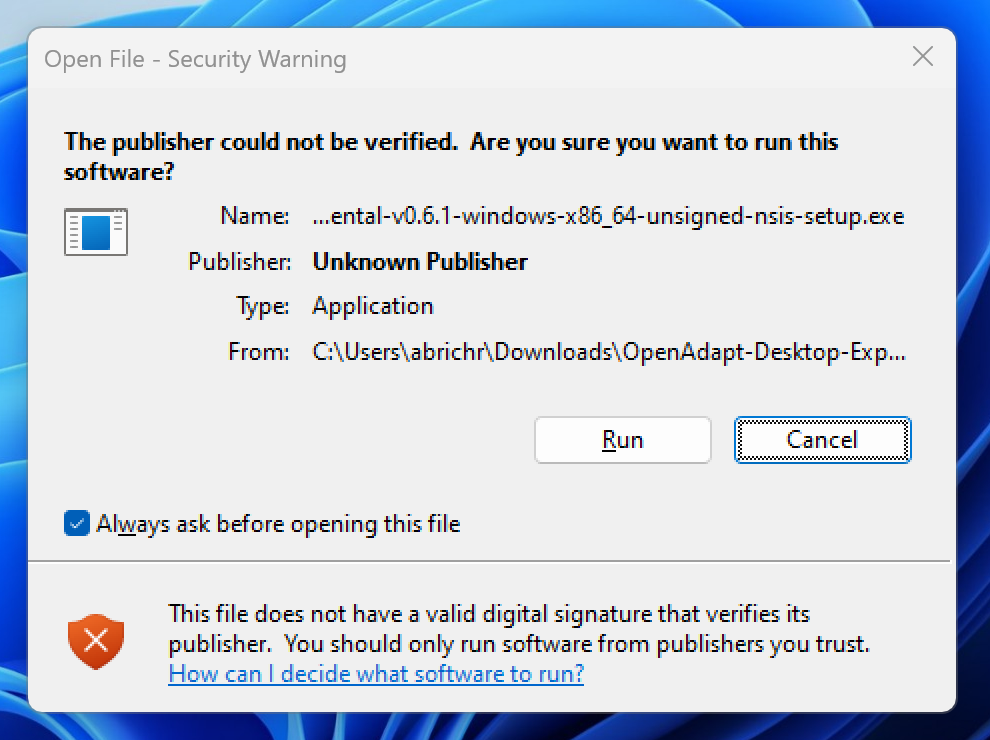
Windows "Open File - Security Warning" dialog reading "The publisher could not be verified" with Publisher: Unknown Publisher for the unsigned NSIS setup .exe, and Run and Cancel buttons.
The real warning on the pictured unsigned build: "Unknown Publisher." It appears because the installer is unsigned, not because anything is wrong with the download.

Download SHA256SUMS and verify GitHub build provenance from the release before installing.

Need the working workflow engine?

Start with pip install openadapt, or bring the workflow you most want to automate to a 30-minute call.

PyPI Download Trends

Historical download statistics for OpenAdapt packages

8Packages
View:
Range:
Loading statistics...
Data sourced from PyPI OpenAdapt packages via pypistats.org API (data retained for ~180 days)